
When you work with generative models in a regular conversation, iteration works really well… until it starts getting lost in its own history.
You change a reference, then a prompt, then a constraint. You go back three messages, try another direction, and start wondering what actually produced the good result in the first place.
Even with notes, the logic can eventually disappear into the conversation.
Nodes change that.
A node is simply a visible step in a transformation chain. It takes something as an input, applies a specific operation, then passes the result to the next step.
Instead of simply talking to a model, you start building a system.
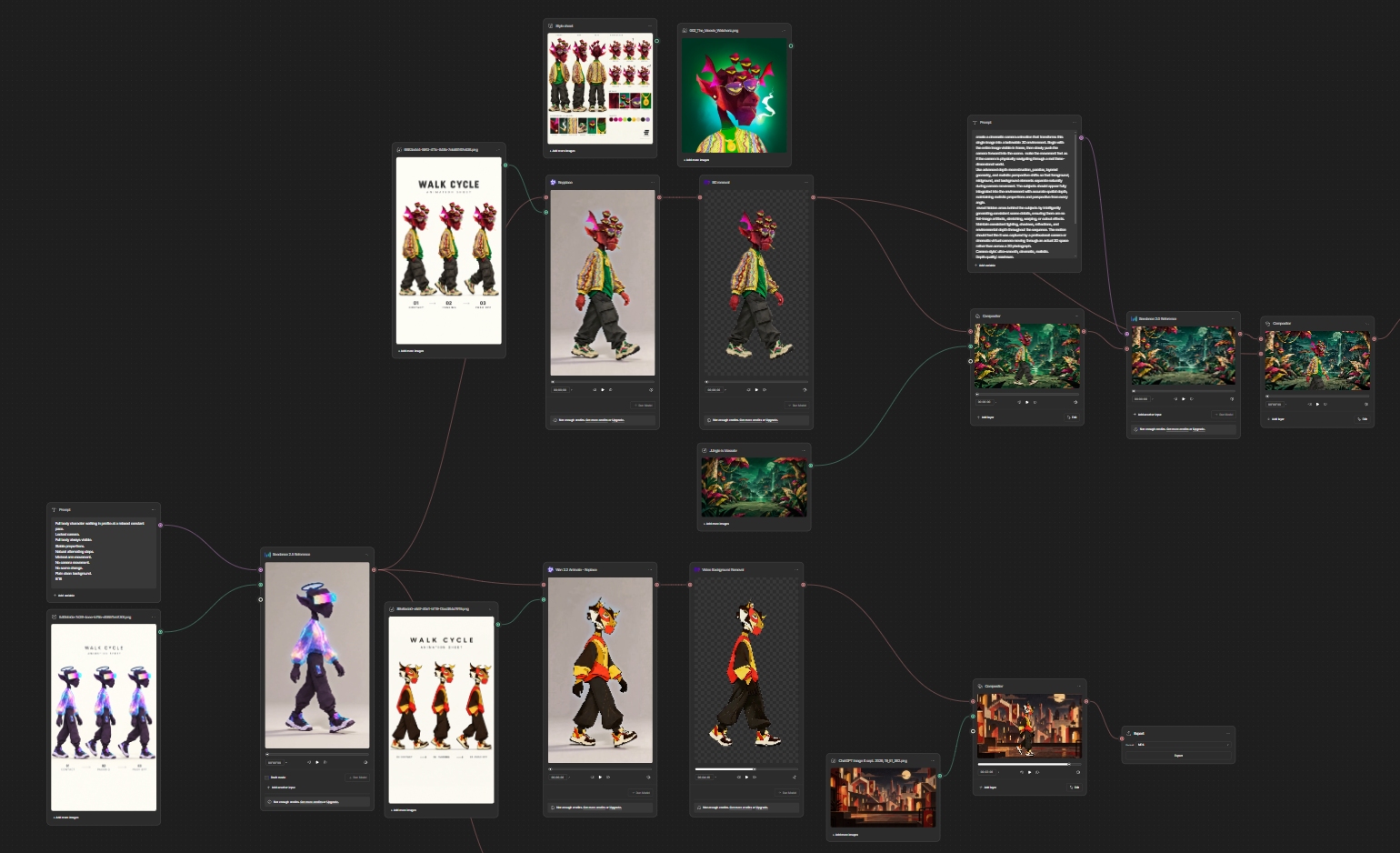
From style sheet to motion
For this experiment, I wanted to start with a style sheet and get a Drake walking in profile at a constant pace, while preserving its visual identity.
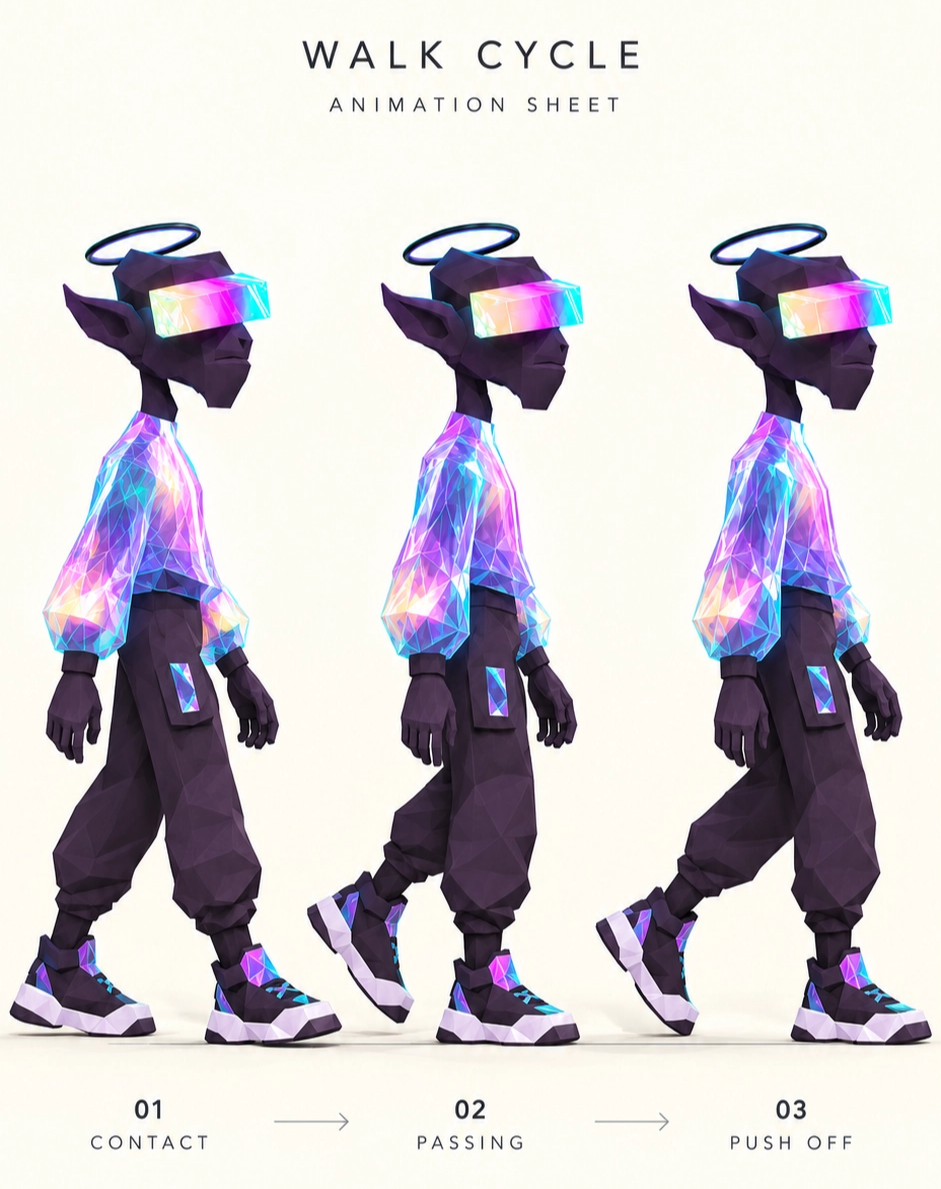
The starting point is still very familiar: a reference and a prompt sent to Seedance to generate the motion.
Full body character walking in profile at a relaxed constant pace.
Locked camera.
Full body always visible.
Stable proportions.
Natural alternating steps.
Minimal arm movement.
No camera movement.
No scene change.
Plain clean background.
9:16
The real difference starts after that.
The generated video becomes the input of a Replace node in Wan 2.2 Animate. A new character reference can then be injected into the same motion.
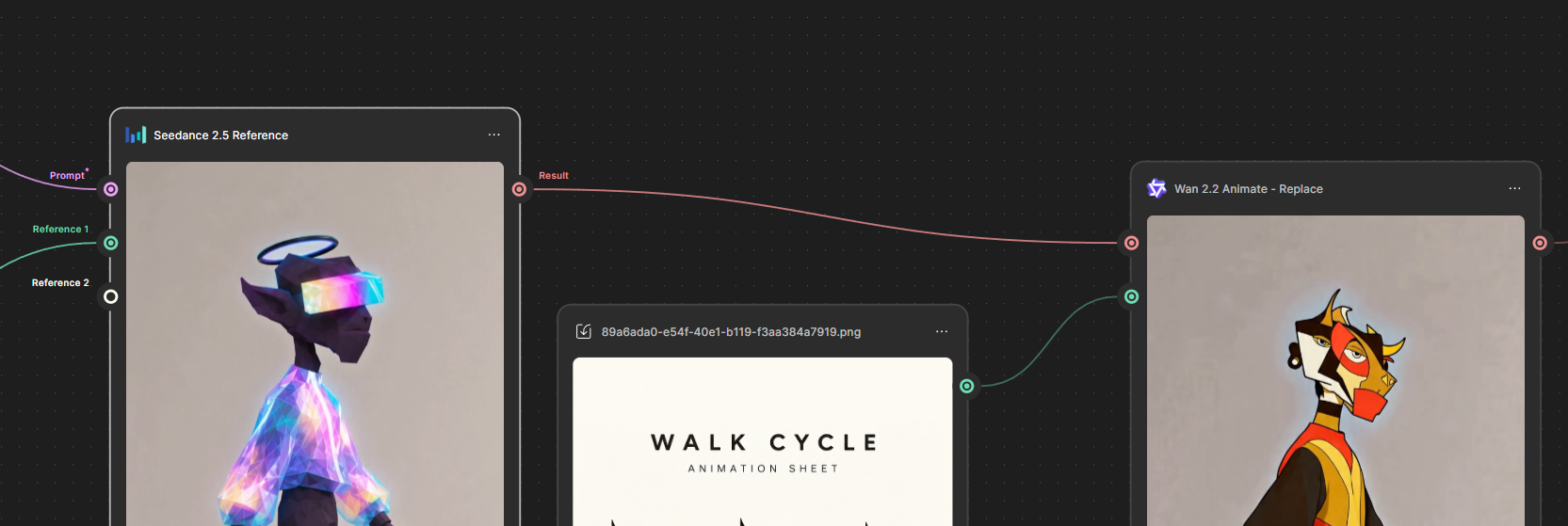
The motion remains the structure.
The character becomes a variable.
That output can then go through a background removal node, into a compositor with a new environment, and finally end up in an Export node.
What nodes change
The interesting part here isn’t stacking a bunch of models together.
It’s that every transformation becomes visible, isolated and editable.
I can change a reference without rebuilding the whole chain. Swap a model. Create a branch. Reuse one part of the workflow somewhere else.
The models are still generative, so some variance remains. But the process becomes much more controllable, reproducible and scalable.
And more importantly, I no longer have to ask myself:
“What did I change to get this result?”
The answer is literally right in front of me.
The full workflow is available in view mode for anyone who wants to look under the hood.
The video is the output. The real product here is the workflow.